

Humanizer v2: An AI Humanizer for Academic Writing That Edits Less
Humanizer v2 is an AI humanizer for academic writing that works sentence by sentence: it rewrites only what detectors flag and charges nothing when nothing changes.
Humanizer v2 is the AI humanizer for academic writing inside Academic Humanizer, launched on 22 September 2026, and its main change is restraint. It scans your draft sentence by sentence, rewrites only the sentences that AI detectors flag, and leaves every other sentence exactly as you wrote it. If no sentence is flagged, the output is identical to your input and the run costs nothing.
For anyone who has re-checked a humanized abstract line by line, that is the difference between reviewing three edits and reviewing thirty. Below is what changed and why.
The problem with rewriting everything
Most humanizers treat a submission as one block of text. They paraphrase all of it, whether a sentence needed help or not. In academic writing that approach creates three kinds of work for the author.
- Re-verification. Every rewritten sentence is a sentence where a number, a hedge or a defined term could have drifted. If the whole paragraph is new, the whole paragraph needs checking.
- Voice loss. Sentences you drafted yourself, in your own rhythm, come back sounding like someone else.
- New detector signals. Rewriting human sentences does not make them more human. A paraphrase can introduce the very patterns detectors look for, so a passage that was fine before can be flagged after.
The logic behind v2 is simple: a sentence that already reads as human writing has nothing to gain from being rewritten, and something to lose. So it is left alone.
How Humanizer v2 processes a draft
When you start a run, the app shows four stages. Each one has a specific job.
- Scanning for AI signalsThe draft is split into sentences and each one is checked for patterns AI detectors flag.
- Rewriting flagged sentencesOnly the flagged sentences are rewritten, with your argument, numbers, citations and terminology kept in place.
- Re-checking with AI detectorsThe new version is checked again so you can compare it with your original on the same measure.
- Saving your resultThe result is saved to your history, and credits are charged only once a complete result is saved.
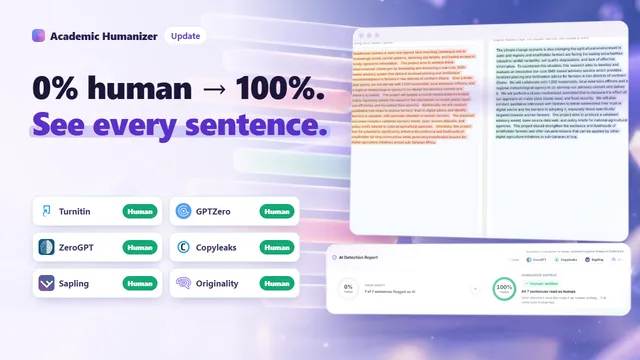
The re-check matters as much as the rewrite. It feeds the built-in AI Detection Report, which places your draft and the humanized output side by side and pairs each flagged sentence with its rewrite.
What sentence-level editing looks like
Here is a short methods paragraph of the kind researchers often draft with AI help and then edit. Two sentences carry the uniform, slightly inflated phrasing that detectors tend to pick up. The others were written plainly by the author.
We recruited 48 participants from two undergraduate cohorts in spring 2025. This comprehensive approach ensures a nuanced understanding of the multifaceted factors influencing student engagement. Each session lasted about 40 minutes and was recorded with consent. Moreover, the data collection process was meticulously designed to capture a holistic view of learner experiences. Transcripts were coded independently by two researchers (Cohen's kappa = 0.81).
Illustrative example. Flags show how the scan marks sentences; they are not output from a specific detector.In v2, only the two flagged sentences are rewritten. The participant count, the session length, the consent detail and the reliability statistic are never touched, because the sentences that hold them were never flagged.
Before
We recruited 48 participants from two undergraduate cohorts in spring 2025. This comprehensive approach ensures a nuanced understanding of the multifaceted factors influencing student engagement. Each session lasted about 40 minutes and was recorded with consent. Moreover, the data collection process was meticulously designed to capture a holistic view of learner experiences. Transcripts were coded independently by two researchers (Cohen's kappa = 0.81).
After
We recruited 48 participants from two undergraduate cohorts in spring 2025. Recruiting across two cohorts let us compare engagement between students at different stages of the course. Each session lasted about 40 minutes and was recorded with consent. We asked the same core questions in every session so that accounts of the course could be compared directly. Transcripts were coded independently by two researchers (Cohen's kappa = 0.81).
Notice that the rewrites are more specific than the originals, not just reworded. Still, a rewrite can shift meaning, so the author should read each paired sentence in the report before using the text. Our guide on preserving meaning and citations when humanizing covers what to check.
What changed for you in practice
| Whole-text rewriting | Humanizer v2 | |
|---|---|---|
| Sentences rewritten | All of them | Only those AI detectors flag |
| Your own sentences | Paraphrased | Returned exactly as written |
| What you need to review | The whole output | The flagged pairs shown in the report |
| Draft with nothing flagged | Still rewritten and charged | Returned unchanged, no credits charged |
| Proof of what changed | Manual comparison | Side-by-side AI Detection Report |
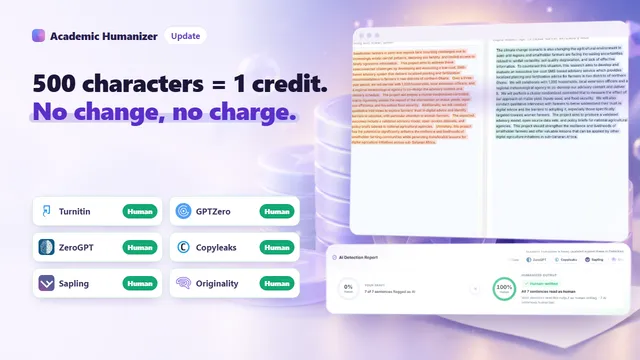
The billing rule follows the same idea. Credits are calculated at 500 characters per credit, rounded up per run, and charged only when a complete result is saved. A run in which no sentence changes costs nothing, and stopping a run partway costs nothing. A 2,300-character abstract with two flagged sentences costs 5 credits (2,300 divided by 500 is 4.6, rounded up). The same abstract with zero flagged sentences costs 0. Full details are in our post on credits and pricing.
Why fewer edits is the better design
We could have made the Humanizer more aggressive. We made it more precise, for three reasons.
First, academic text is dense with things that must not move: effect sizes, sample sizes, p-values, dates, gene names, legal citations. Every sentence left untouched is a sentence where none of that can go wrong.
Second, your ideas are the point. The product exists so that researchers, including many who write in English as a second language, are not mislabelled as machine writers because a few sentences came out generic. Keeping your own sentences intact keeps your voice in the paper. If you are wondering why plain, careful formal prose sometimes gets flagged anyway, see why formal prose can look AI-written.
Third, a small, visible set of changes is easier to account for. If a supervisor, editor or integrity officer asks how you revised a draft, you can point to the report and show exactly which sentences changed. See how draft history can support academic integrity. Before submitting anything, check the AI policy of your institution or target journal.
Frequently asked questions
Will Humanizer v2 change my citations, numbers or terminology?
Sentences that are not flagged are not changed at all. In flagged sentences, the rewrite aims to keep your argument, evidence, numbers, citations and field terminology. AI output can still contain errors or shifts in meaning, so read every rewritten sentence before you use it.
What happens if none of my sentences are flagged?
You get your original text back unchanged, and the run costs no credits.
How long can a single run be?
The web editor accepts up to 10,000 characters per run. A full 10,000-character run costs 20 credits if any sentence changes. Longer documents can be processed section by section.
Which AI detectors is the Humanizer checked against?
The product is validated against Turnitin, GPTZero, ZeroGPT, Copyleaks, Sapling and Originality.ai. No tool can promise a particular score from every detector, which is why the report shows you the result instead of asserting it. What Turnitin itself says about rewritten AI text is covered in can Turnitin detect humanized text?
Can I try Humanizer v2 without an account?
Yes. Guests can run the Humanizer once without signing up; the full result becomes available after sign-up. New accounts also receive 10 free credits once, enough for one 5,000-character run.
Try it on a draft you already have
The quickest way to see the difference is to paste a paragraph you drafted with AI help and then edited yourself. Academic Humanizer will show you which sentences detectors still pick up, rewrite only those, and leave the rest of your writing alone. Your Ideas. Our Rigor. Zero AI Footprint.
Your ideas, without the AI footprint
Paste a draft and see which sentences AI detectors flag, then humanize only those sentences.
Try Humanizer freeKeep reading
 Update
Academic Humanizer Pricing: Free Credits, Trial and Worked Examples
One credit covers 500 characters, rounded up per run. Here is how that works on real document sizes, what the plans and packs cost, and when you are not charged at all.
Read article
Update
Academic Humanizer Pricing: Free Credits, Trial and Worked Examples
One credit covers 500 characters, rounded up per run. Here is how that works on real document sizes, what the plans and packs cost, and when you are not charged at all.
Read article
 Update
AI Detection Report Explained: How to Check if Text Is AI Generated
How to check if text is AI generated, sentence by sentence: what each verdict label in the AI Detection Report means, how flagged sentences pair with rewrites, and what to do next.
Read article
Update
AI Detection Report Explained: How to Check if Text Is AI Generated
How to check if text is AI generated, sentence by sentence: what each verdict label in the AI Detection Report means, how flagged sentences pair with rewrites, and what to do next.
Read article
 Update
AI Humanizer API: Humanizer API v2 and Detector API for Developers
Two REST endpoints for platforms that handle academic text: Humanize returns rewritten text with sentence-level changes, Detector returns a document assessment.
Read article
Update
AI Humanizer API: Humanizer API v2 and Detector API for Developers
Two REST endpoints for platforms that handle academic text: Humanize returns rewritten text with sentence-level changes, Detector returns a document assessment.
Read article