

AI Detection Report Explained: How to Check if Text Is AI Generated
How to check if text is AI generated, sentence by sentence: what each verdict label in the AI Detection Report means, how flagged sentences pair with rewrites, and what to do next.
To check if text is AI generated in Academic Humanizer, read the AI Detection Report, the page you see after every Humanizer run. It answers two questions: which sentences in your draft did AI detectors flag, and how does the humanized version compare on the same measure? We restored and upgraded it on 30 September 2026, and this guide walks through each part so you can read it in under a minute.
If you came here wondering how to check if text is AI generated, the short answer is that no single score settles it. The report is built to show you evidence sentence by sentence, so you can judge it yourself.
What the report shows
The report has three layers, from the broadest to the most detailed.
- Verdict labelOne of four labels summarising how the detectors read the whole text.
- Human-sentence shareThe share of sentences read as human, shown for your draft and for the output on the same measure.
- Side-by-side textYour draft and the humanized output in two columns, with each flagged sentence paired with its rewrite.
- Status noteA plain statement of whether any sentences are still flagged, with the option to humanize those passages again.
Read it in that order. The label gives you the headline, the share tells you how much moved, and the pairs tell you exactly what changed.
The four verdict labels
Detectors rarely agree on a simple yes or no, and much real academic writing is neither purely human nor purely machine. The report therefore uses four labels rather than two.
| Verdict | What it means | Typical next step |
|---|---|---|
| Human-written | The detectors in the check read the text as human writing. | Do your normal final read and move on. |
| Human-written & AI-refined | The writing reads as human overall, with signs of AI polishing in places. | Look at the flagged sentences; they are usually few. |
| AI-generated & Human-refined | The text shows AI signals but also clear human editing. | Review the pairs and consider another pass on the flagged passages. |
| AI-generated | The detectors read the text as machine-written. | Expect many flagged sentences; work through them section by section. |
The label applies to the whole text, so a long draft can earn a mixed label even when most sentences are clean. That is why the sentence-level layers matter more than the headline.
The human-sentence share, before and after
The report compares your draft and the output on one measure: the share of sentences read as human. Using the same measure for both columns is deliberate. A before-and-after comparison is only useful if both numbers mean the same thing.
In this illustrative case, a 20-sentence literature review paragraph starts with 9 flagged sentences, so 11 of 20 (55%) read as human. After the run, 1 sentence is still flagged, so 19 of 20 (95%) read as human. Those are made-up figures to show how the arithmetic works, not results from a real document.
Two things to keep in mind. First, the share counts sentences, not words, so one long flagged sentence weighs the same as one short one. Second, because Humanizer v2 rewrites only flagged sentences, the sentences already read as human in your draft stay exactly as you wrote them. Any gain in the share comes from the rewrites alone.
Reading the flagged sentence pairs
The side-by-side view is where most of your attention should go. Each flagged sentence in your draft sits next to its rewrite in the output. Sentences that were not flagged appear unchanged in both columns, and the report counts how many were left as they were.
Smith and Lee (2021) surveyed 312 nurses across four hospitals. Their findings shed light on the intricate interplay between workload and well-being. Burnout scores rose with weekly overtime hours. This underscores the importance of considering staffing in future research.
Illustrative example. Sentences are marked as flagged, read as human, or borderline.For each pair, check three things:
- Meaning. Does the rewrite make the same claim, with the same strength? Watch for hedges that disappear ("may" becoming "does") or appear.
- Facts. Are names, numbers, dates and citations identical? The rewrite aims to keep them, but AI output can contain errors.
- Fit. Does the new sentence follow from the one before it and lead into the next?
If a rewrite fails any of these, edit it by hand. You approve every output before you use it. Our guide to revising AI-sounding sentences has practical patterns for doing that quickly.
When some sentences are still flagged
Sometimes a few sentences stay flagged after a run. The report says so directly, with a count such as "2 of 20 sentences still flagged as AI", and a note that some detectors still see AI signals. It does not hide them behind an overall score.
You have three reasonable options:
- Humanize the flagged passages again. Run just those paragraphs. Only the flagged sentences are rewritten, and you are charged for the length of the text you submit, so a short passage costs little (500 characters is 1 credit).
- Edit the sentence yourself. Flagged sentences are often generic. Adding the specific detail only you know, such as a sample, a site or a reason, tends to help both the reader and the detector reading.
- Leave it. A single borderline sentence in a long chapter may not matter for your purpose. That is your call, informed by your institution's or journal's AI policy.
If the flagged text is your own unaided writing, that is useful to know too. Formal, careful prose is sometimes misread by detectors; see what to do if you are falsely flagged as AI. If the flagged lines are references, quotations or boilerplate, see why Turnitin flags references and citations as AI.
Which detectors the report reflects
Academic Humanizer is validated against Turnitin, GPTZero, ZeroGPT, Copyleaks, Sapling and Originality.ai. These tools use different methods and are trained on different data, so they do not always agree on the same sentence. Our explainer on why AI detectors disagree goes into the reasons. The report is meant to show you where the signals are, not to promise any particular score from any one tool.
Frequently asked questions
Is the AI Detection Report the same as a Turnitin AI score?
No. Turnitin produces its own score inside its own system. Our report shows how your text reads to AI detectors and compares your draft with the humanized output on a single measure. For how Turnitin presents its numbers, see Turnitin's AI detection score explained.
Can I check if text is AI generated without humanizing it?
Every Humanizer run scans your draft first, and if nothing is flagged you get the text back unchanged at no credit cost. Developers can also call a separate Detector API; see our API post.
Does a "Human-written" verdict guarantee my text will pass every detector?
No. Detectors change over time and disagree with each other, and no tool can guarantee a result. The verdict reflects the check run on your text at that moment.
Why does the share count sentences rather than words?
Detectors flag sentences, and you revise sentences. Counting them keeps the number tied to the edits you can actually make.
Where can I find old reports?
Members can reopen saved results from History, where they can also rename or delete them.
Use the report as your revision checklist
The report works best as a short to-do list: a handful of paired sentences to check, and a clear note on whether anything is left. That is the idea behind Academic Humanizer. Your argument and evidence stay yours, and the report shows you exactly what changed so you can stand behind every line.
Your ideas, without the AI footprint
Paste a draft and see which sentences AI detectors flag, then humanize only those sentences.
Try Humanizer freeKeep reading
 Update
Academic Humanizer Pricing: Free Credits, Trial and Worked Examples
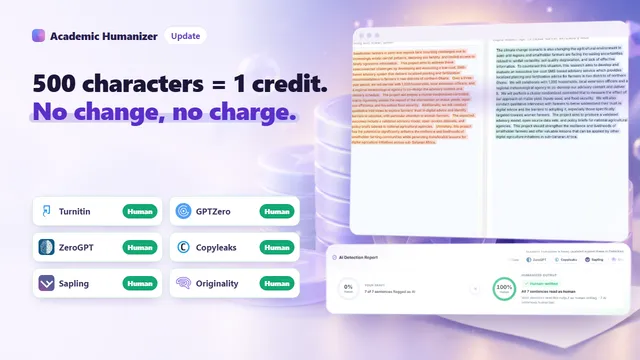
One credit covers 500 characters, rounded up per run. Here is how that works on real document sizes, what the plans and packs cost, and when you are not charged at all.
Read article
Update
Academic Humanizer Pricing: Free Credits, Trial and Worked Examples
One credit covers 500 characters, rounded up per run. Here is how that works on real document sizes, what the plans and packs cost, and when you are not charged at all.
Read article
 Update
AI Humanizer API: Humanizer API v2 and Detector API for Developers
Two REST endpoints for platforms that handle academic text: Humanize returns rewritten text with sentence-level changes, Detector returns a document assessment.
Read article
Update
AI Humanizer API: Humanizer API v2 and Detector API for Developers
Two REST endpoints for platforms that handle academic text: Humanize returns rewritten text with sentence-level changes, Detector returns a document assessment.
Read article
 Update
Humanizer v2: An AI Humanizer for Academic Writing That Edits Less
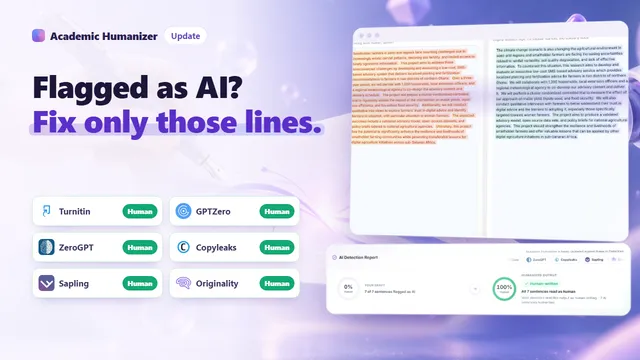
Humanizer v2 is an AI humanizer for academic writing that works sentence by sentence: it rewrites only what detectors flag and charges nothing when nothing changes.
Read article
Update
Humanizer v2: An AI Humanizer for Academic Writing That Edits Less
Humanizer v2 is an AI humanizer for academic writing that works sentence by sentence: it rewrites only what detectors flag and charges nothing when nothing changes.
Read article